Get in touch
All projects
Figma plugin · AI · 2026

UX Analyzer Figma plugin

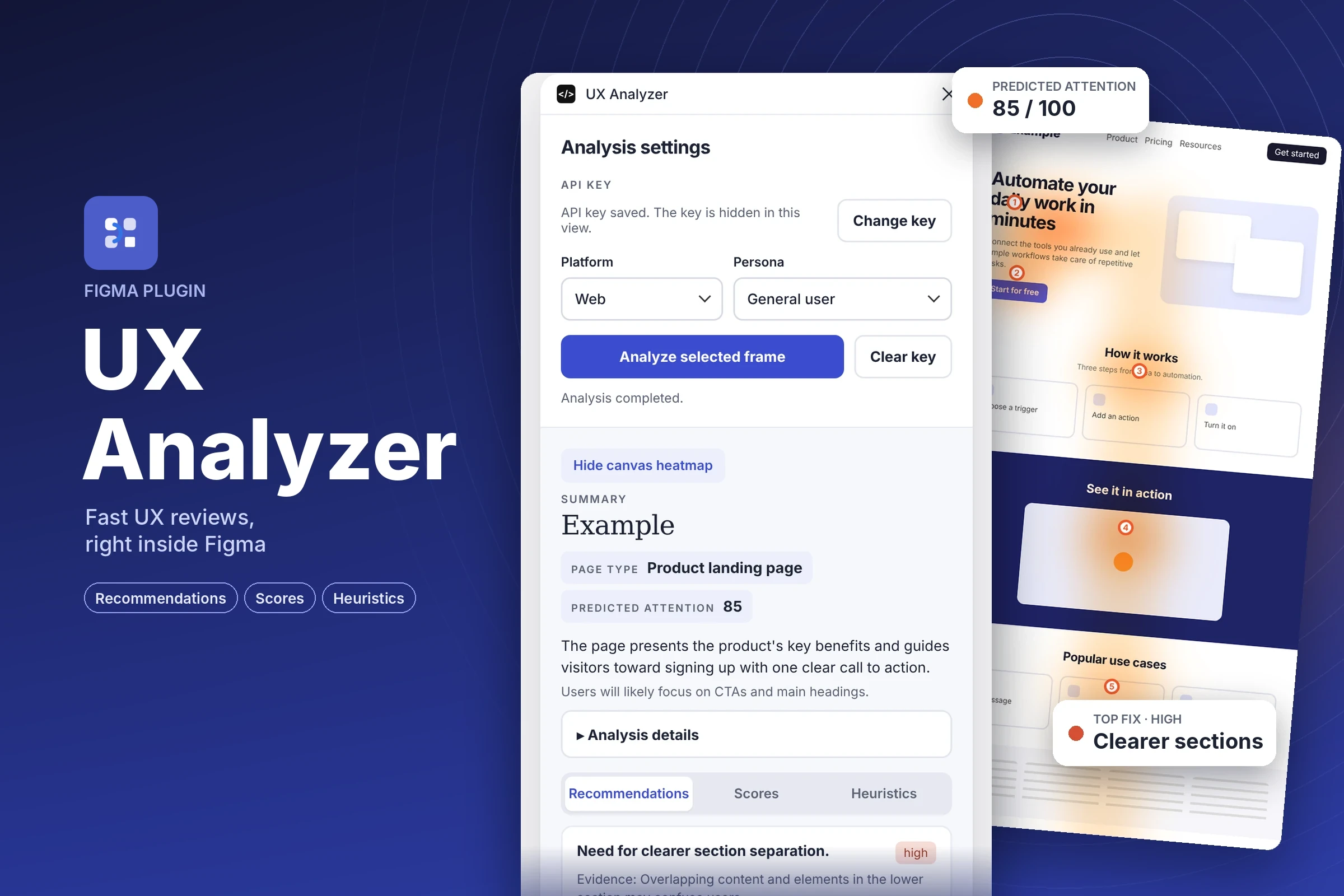
Select a frame, and in seconds the plugin reviews it three ways: recommendations to fix first, scores for the design, and a heuristic check, plus a predicted attention heatmap on the canvas.

UX Analyzer cover: plugin panel, example page with attention heatmap
RoleDesigner & builder
PlatformFigma plugin
ScopeUX, UI, AI-assisted development
ModelsVia OpenRouter

Overview

A second pair of eyes, before the design review

Feedback usually arrives late, in the next meeting. UX Analyzer gives designers a fast first opinion without leaving Figma: pick the platform and the persona, run the analysis, and get a clear view of what works, what may confuse users and what to change next. I designed the plugin and built it with AI-assisted development.

1RecommendationsThe changes to make first, ranked high, medium or low, each backed by evidence from the frame.
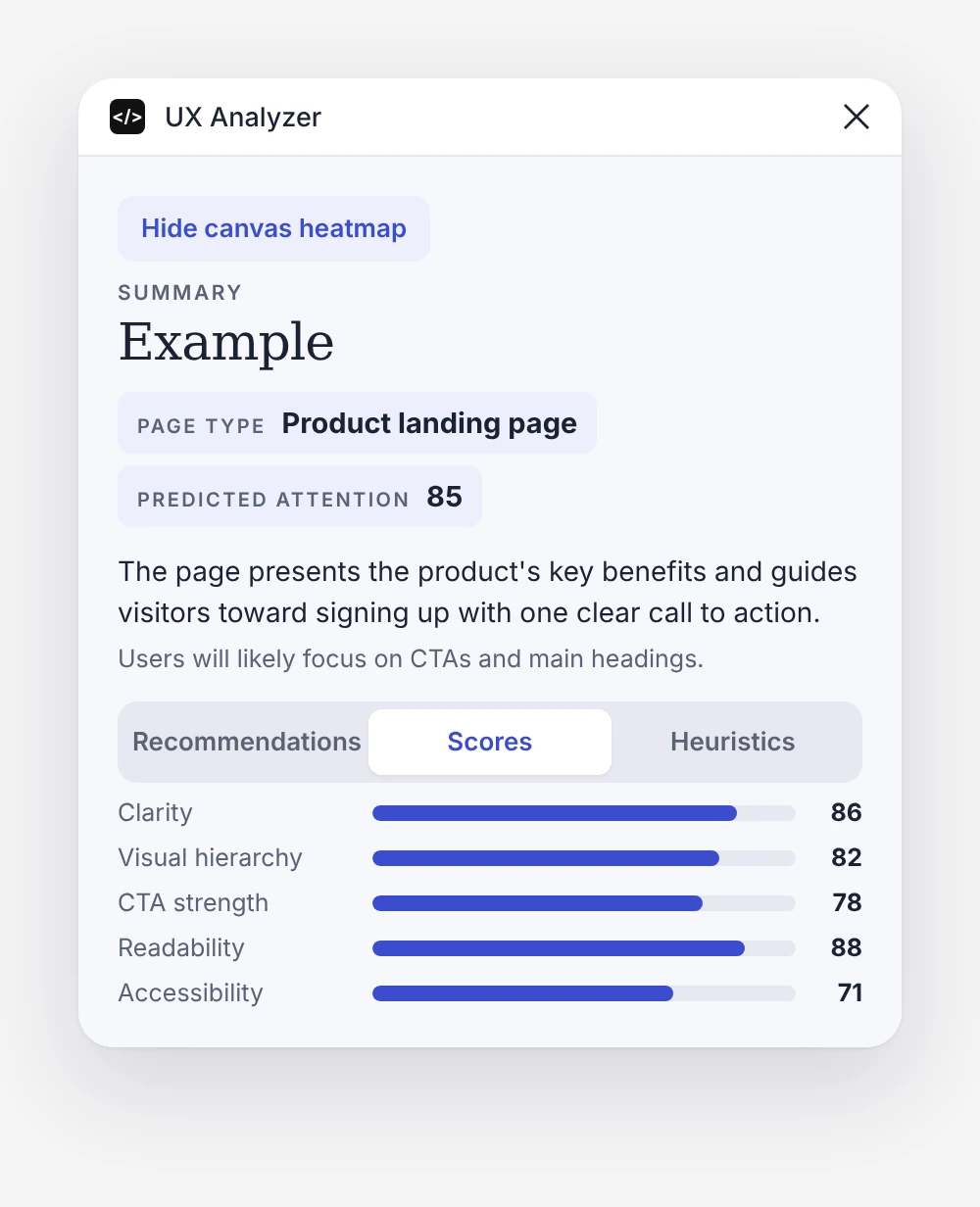
2ScoresA quick read on clarity, hierarchy, CTA strength, readability and accessibility, plus predicted attention.
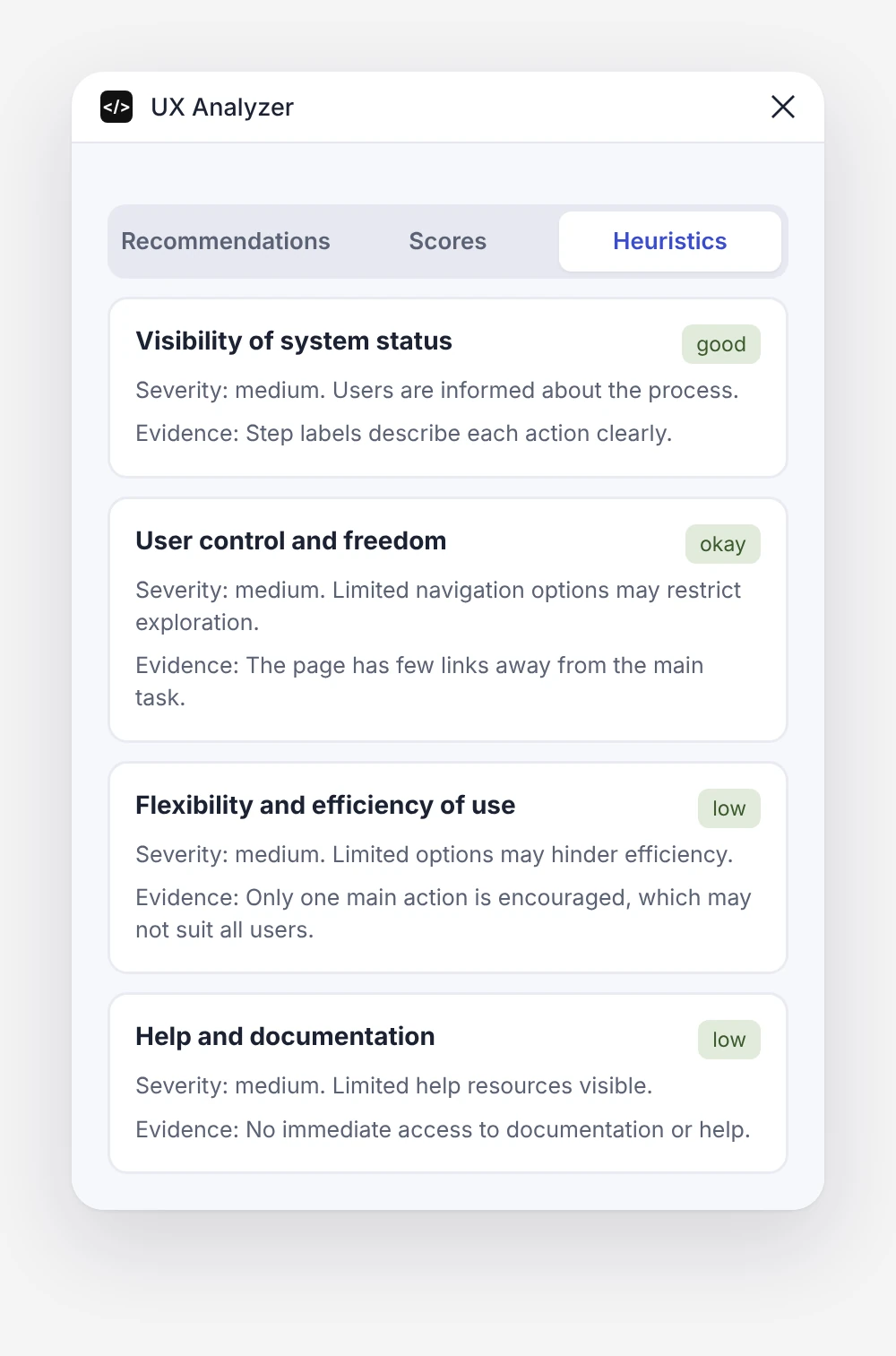
3HeuristicsA review against Nielsen's 10 usability heuristics, each rated with its severity and evidence.

Setup

Three steps to a review

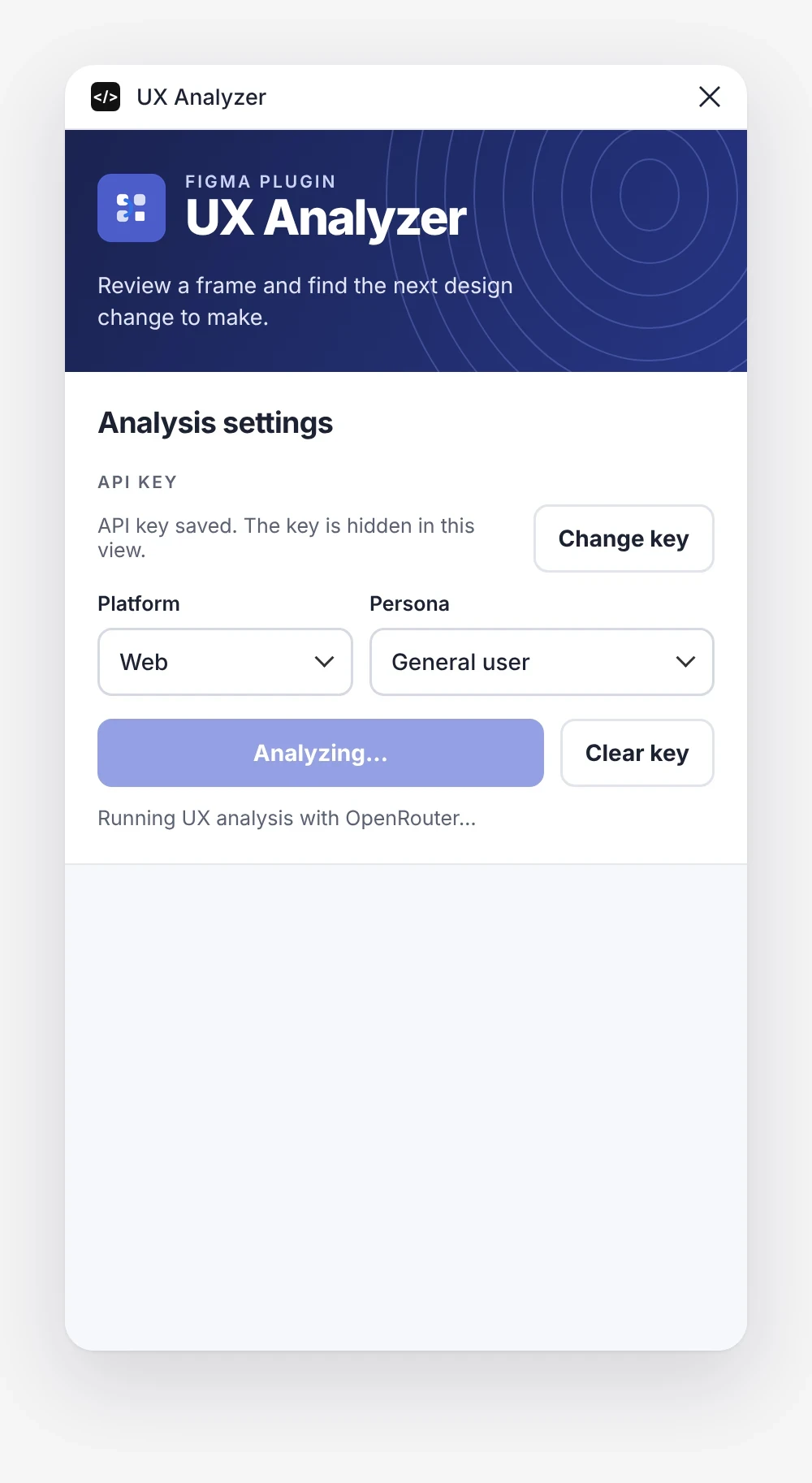
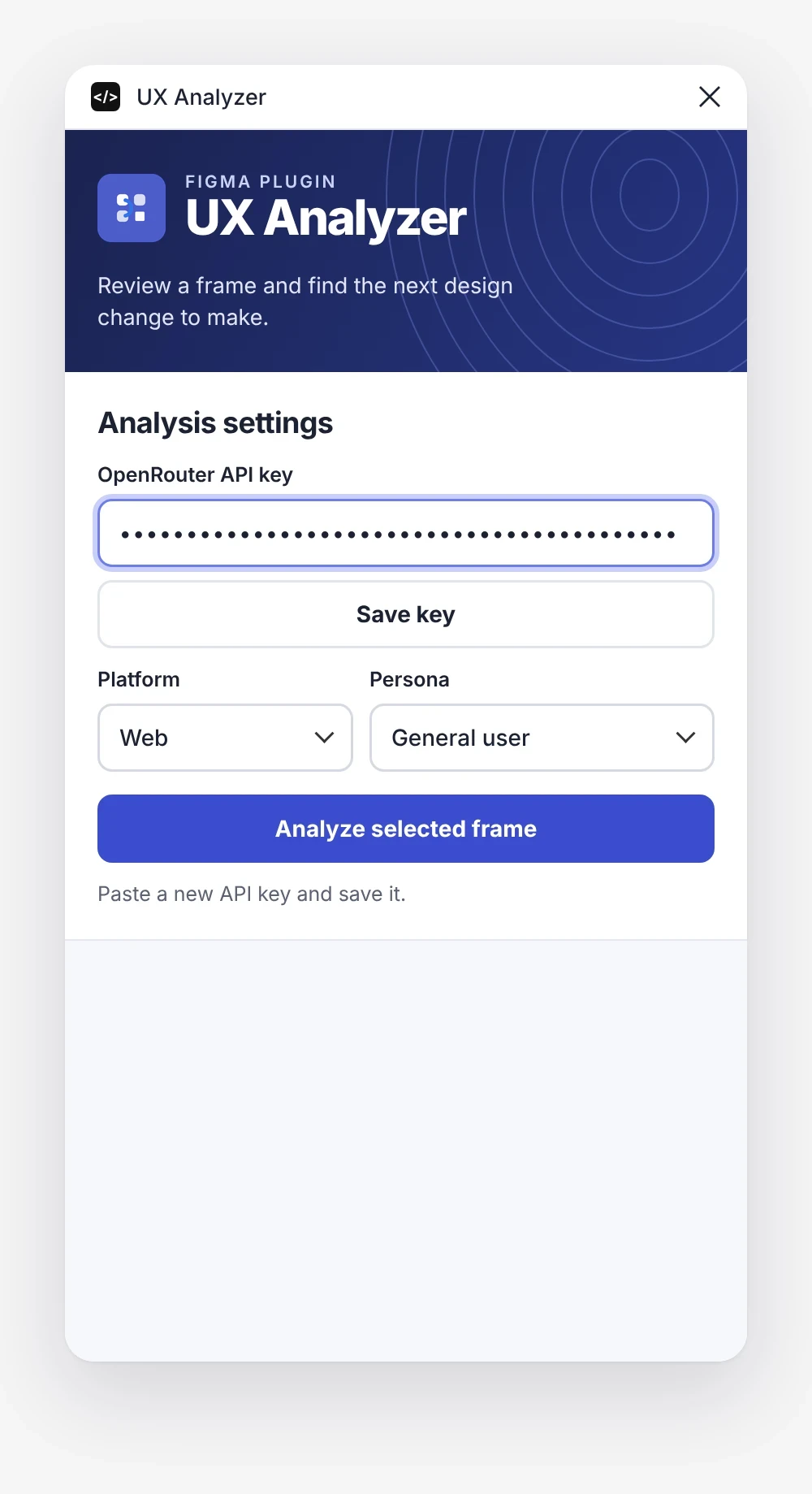
The settings stay short on purpose: one key, two choices and one button. The key is masked and hidden once saved, and the panel shows clear status while the analysis runs.
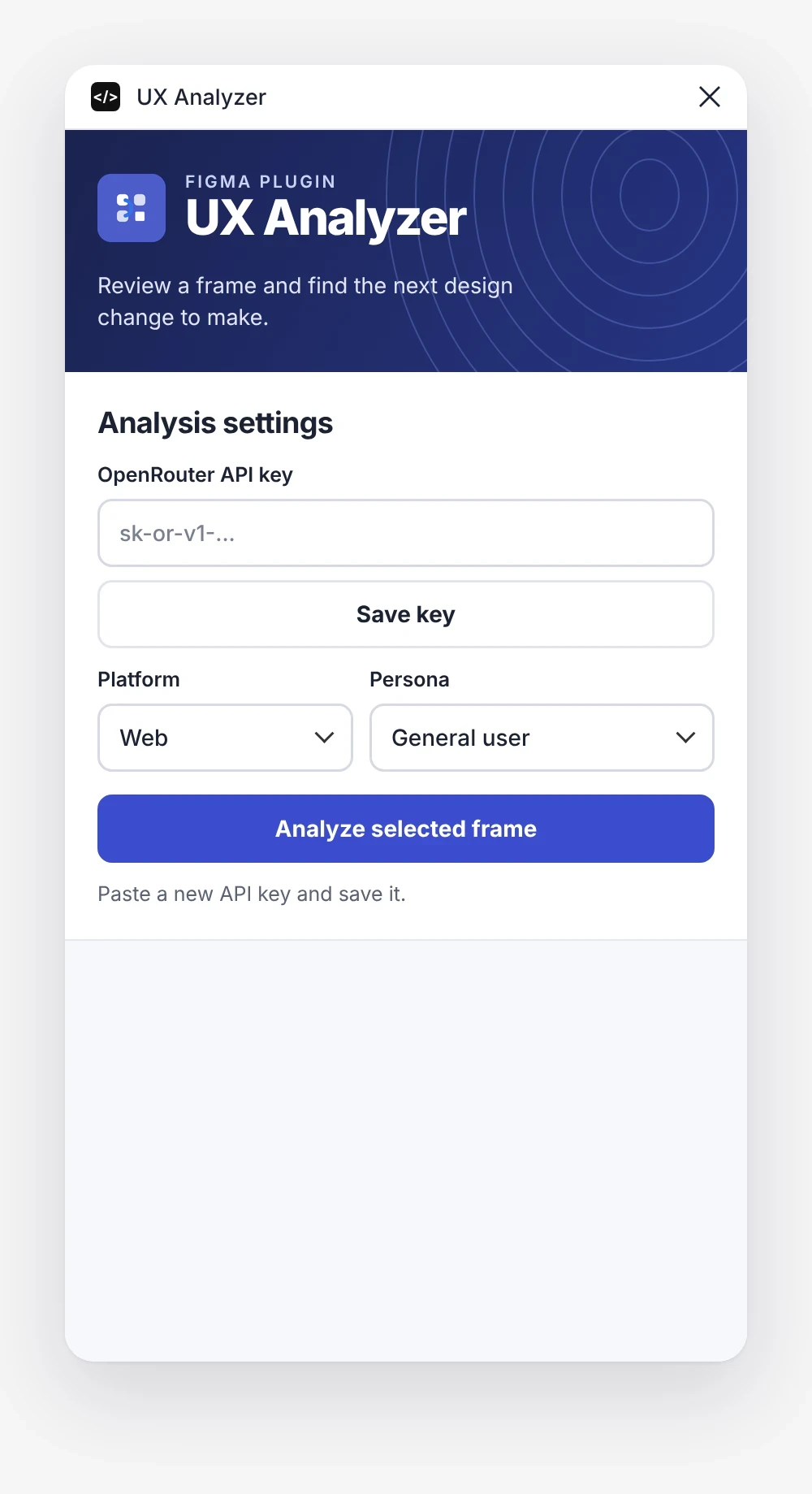
Add a key
Add a keyPaste an OpenRouter API key once.
Save it securely
Save it securelyThe key is masked as you type.
Analyze
AnalyzePick platform and persona, then run.

The review

Recommendations, scores and heuristics

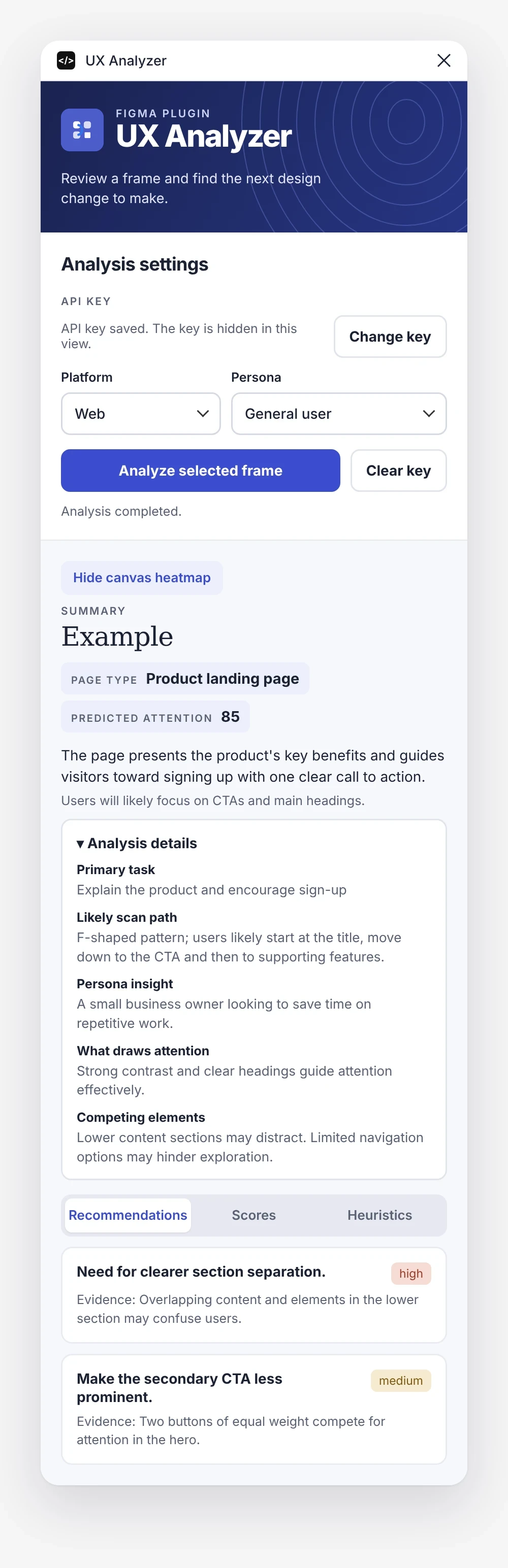
Every analysis opens with a short summary: page type, predicted attention and where users will focus. Three tabs then look at the frame from three angles.
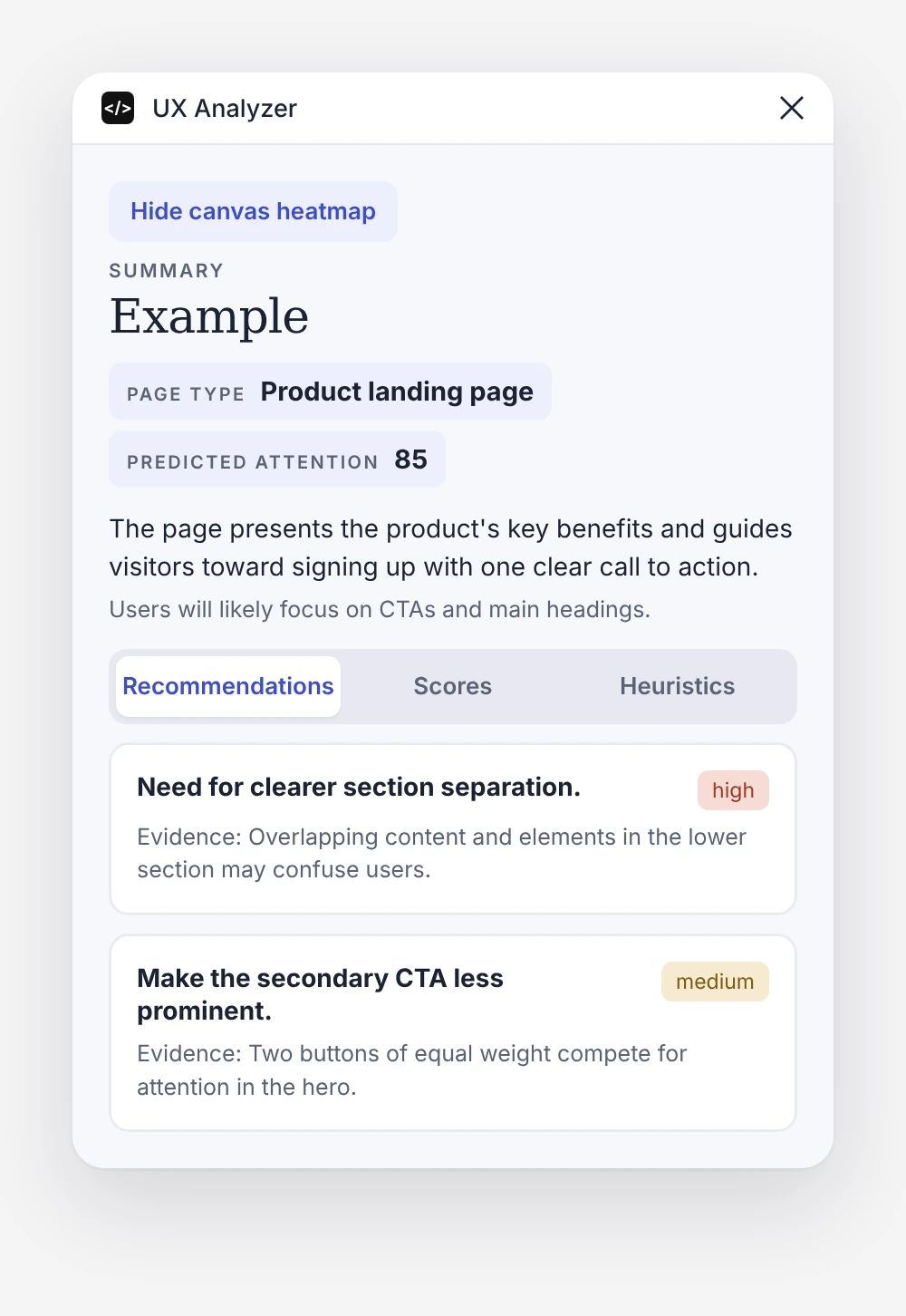
Recommendations
RecommendationsWhat to fix first, with evidence.
Scores
ScoresHow the design performs at a glance.
Heuristics
HeuristicsNielsen’s principles, one by one.

The full analysis

Primary task
What the frame is trying to get users to do.
Likely scan path
How the eye moves through the layout, such as an F-shaped pattern from title to CTA.
Persona insight
How the chosen persona will read the page and what they are looking for.
What draws attention
The elements that pull focus, and why.
Competing elements
What distracts from the main action.
Full UX Analyzer panel with settings, summary, analysis details and recommendations

Heuristics

Built on Nielsen's 10 usability heuristics

The heuristics tab checks the frame against Jakob Nielsen's ten usability principles. Each one gets a rating (good, okay, low or none), a severity level and the evidence behind it, so designers can see not only what is wrong but why.
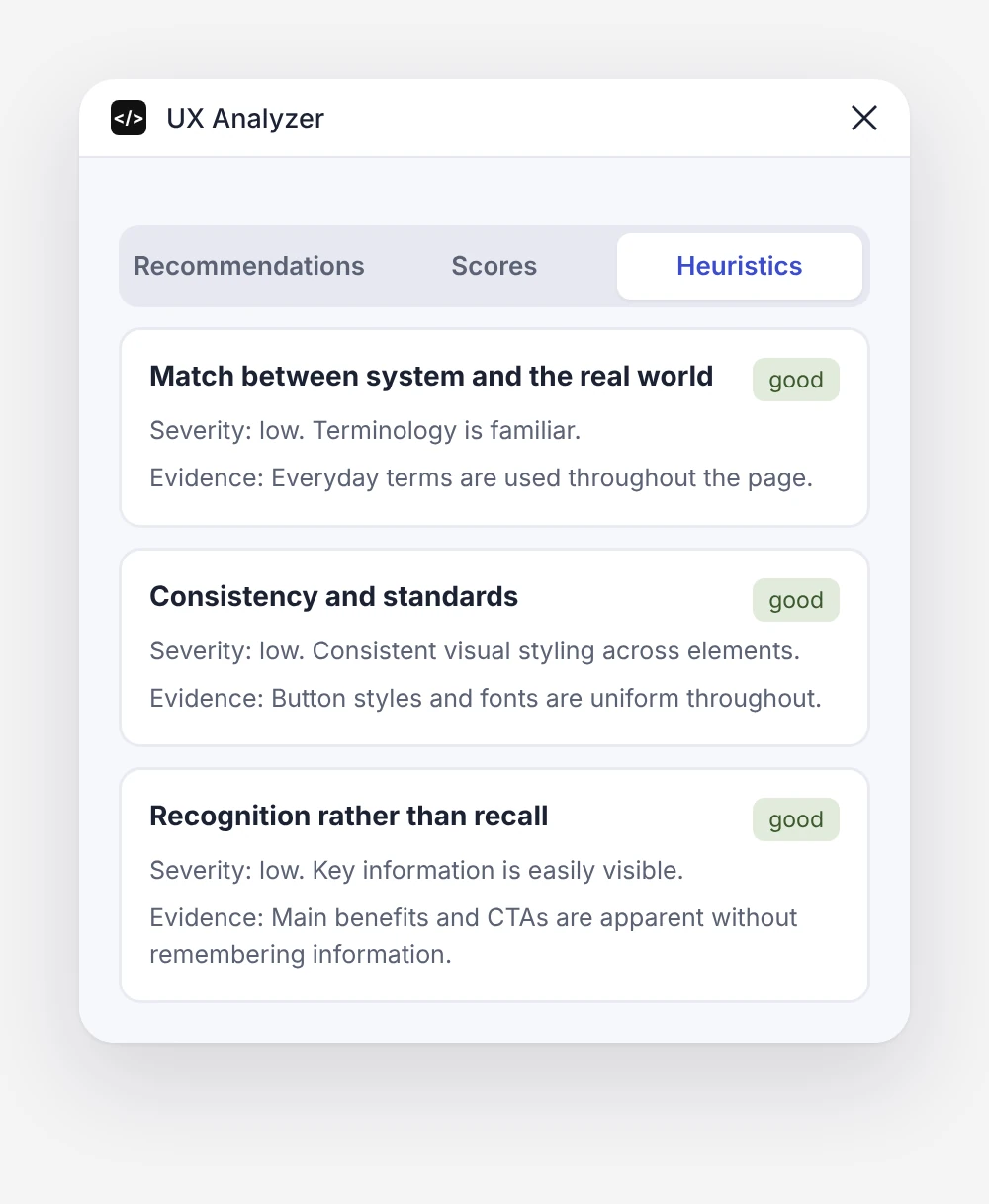
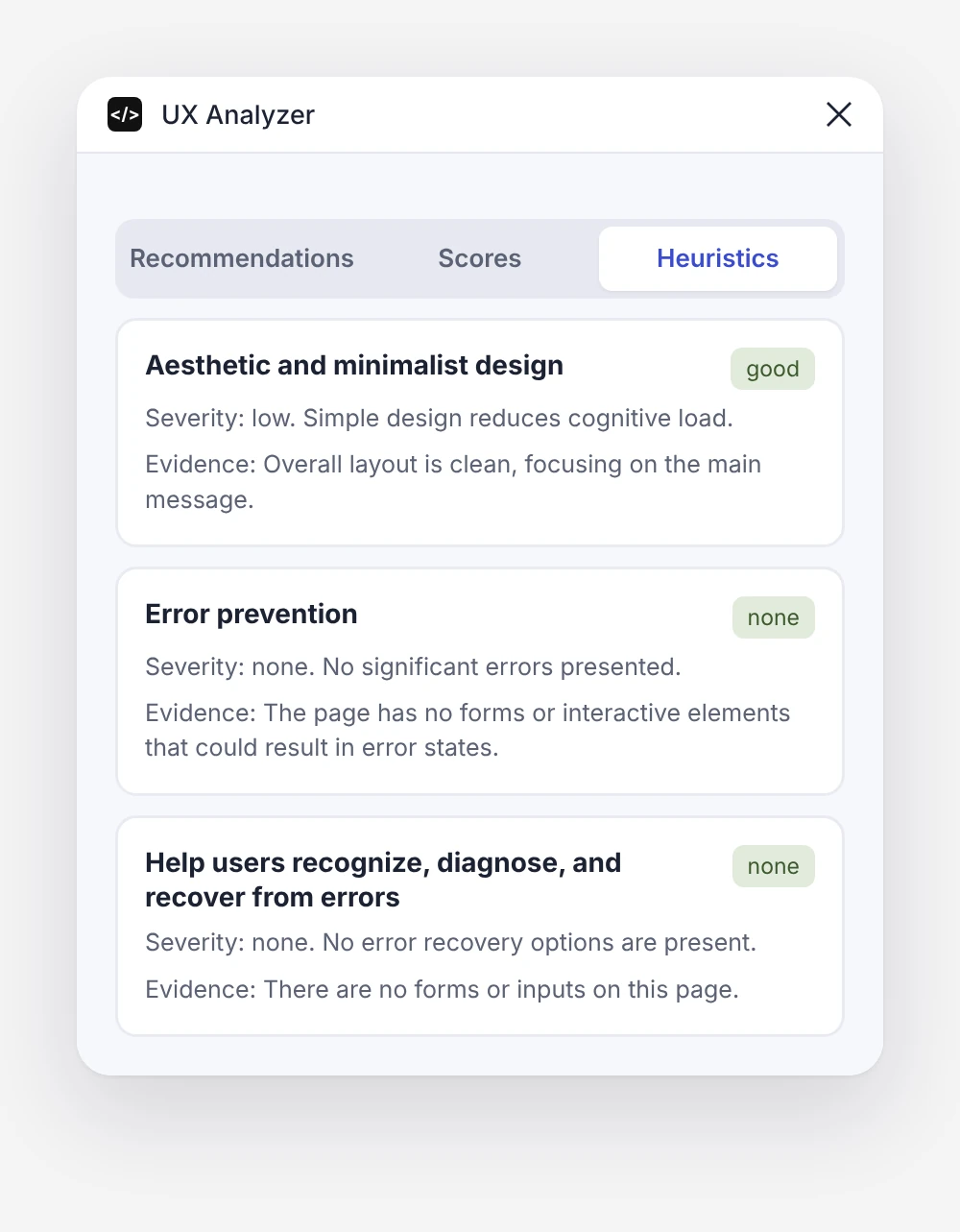
01 · Visibility of system status02 · Match with the real world03 · User control and freedom04 · Consistency and standards05 · Error prevention06 · Recognition rather than recall07 · Flexibility and efficiency08 · Aesthetic and minimalist design09 · Recovering from errors10 · Help and documentation
01 – 04
System status & controlStatus, user control, efficiency and help.
05 – 07
Language & consistencyReal-world terms, standards and recognition.
08 – 10
Design & errorsMinimalist design, error prevention and recovery.

Canvas heatmap

See the attention on the design itself

The plugin draws a predicted attention layer right next to the analysed frame, with numbered points along the scan path. It can be hidden with one click and is grouped neatly in the layers panel.
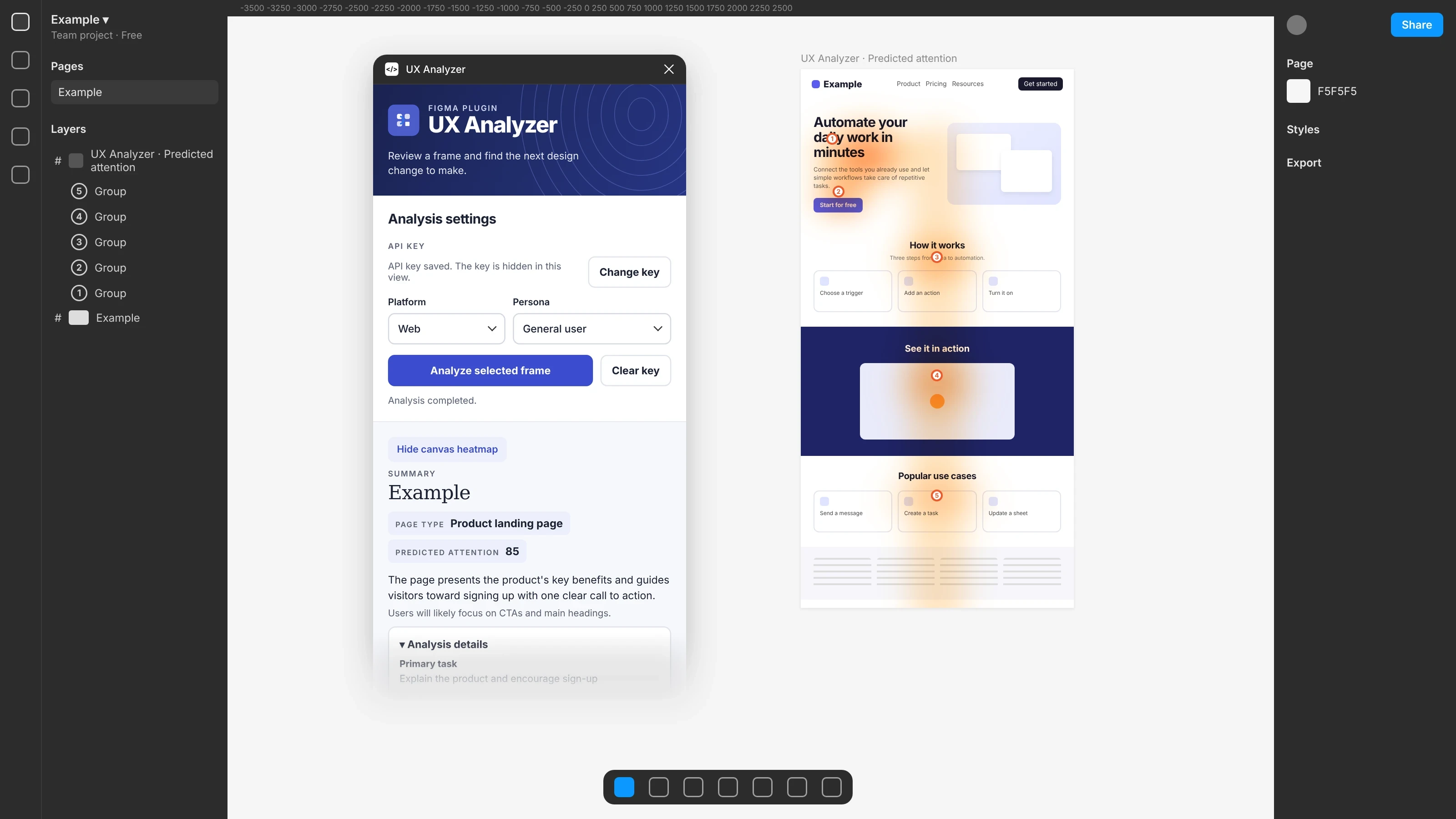
UX Analyzer panel and attention heatmap on the Figma canvas

The analysed page shown here is an example layout.

Next

Like what you see? Let's talk.

© 2026 Elif Kübra ÖzdemirTürkiye