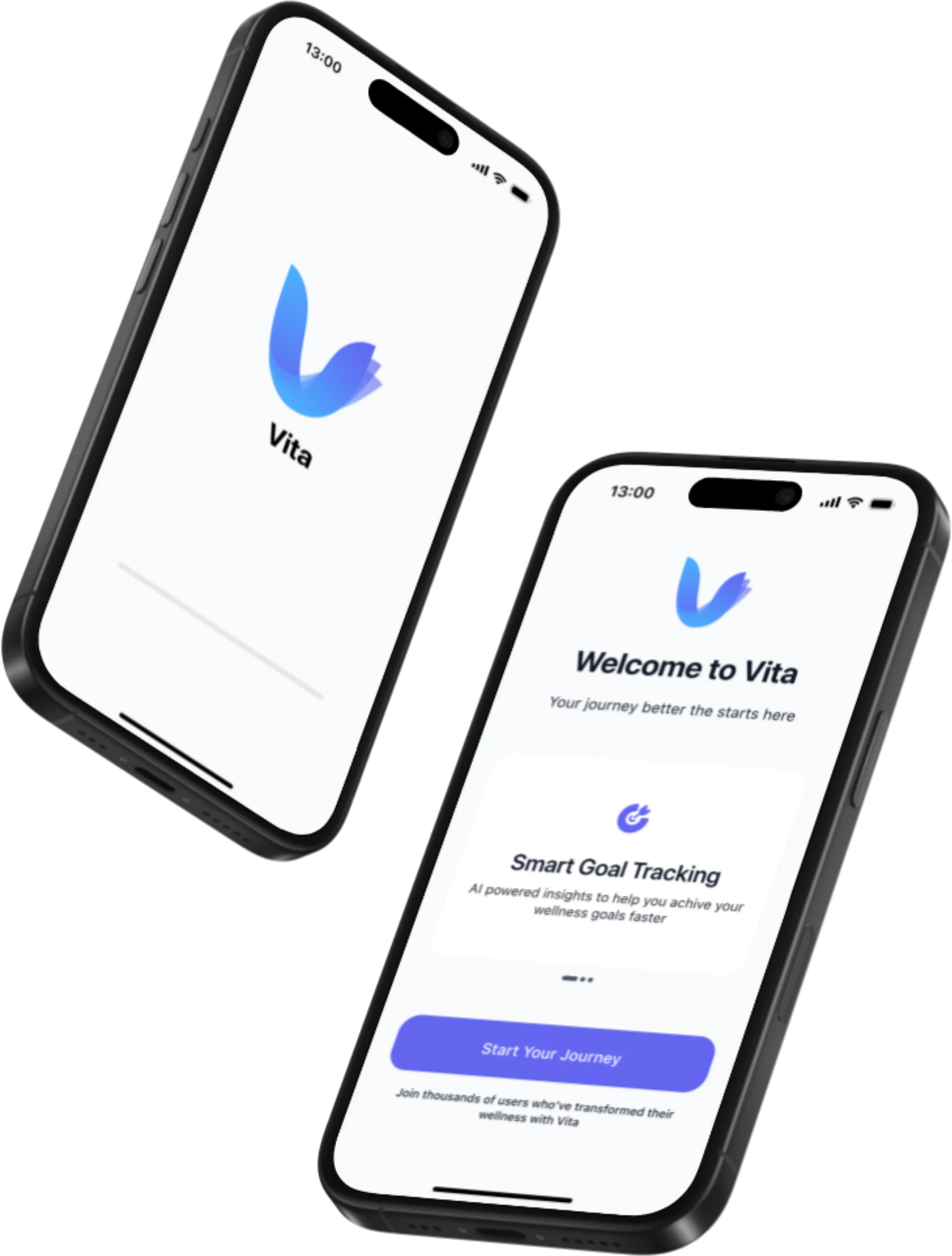
Overview
Wellness apps ask people to juggle too many tools.
Most people track workouts in one app, meals in another and sleep in a third, and they lose motivation along the way. Vita puts exercise tracking, personalised nutrition guidance, sleep monitoring and mental wellness support in one calm experience. Users set achievable goals, follow their progress and get gentle nudges from an AI companion, VitaBot.
Research
What people say about the apps they already use
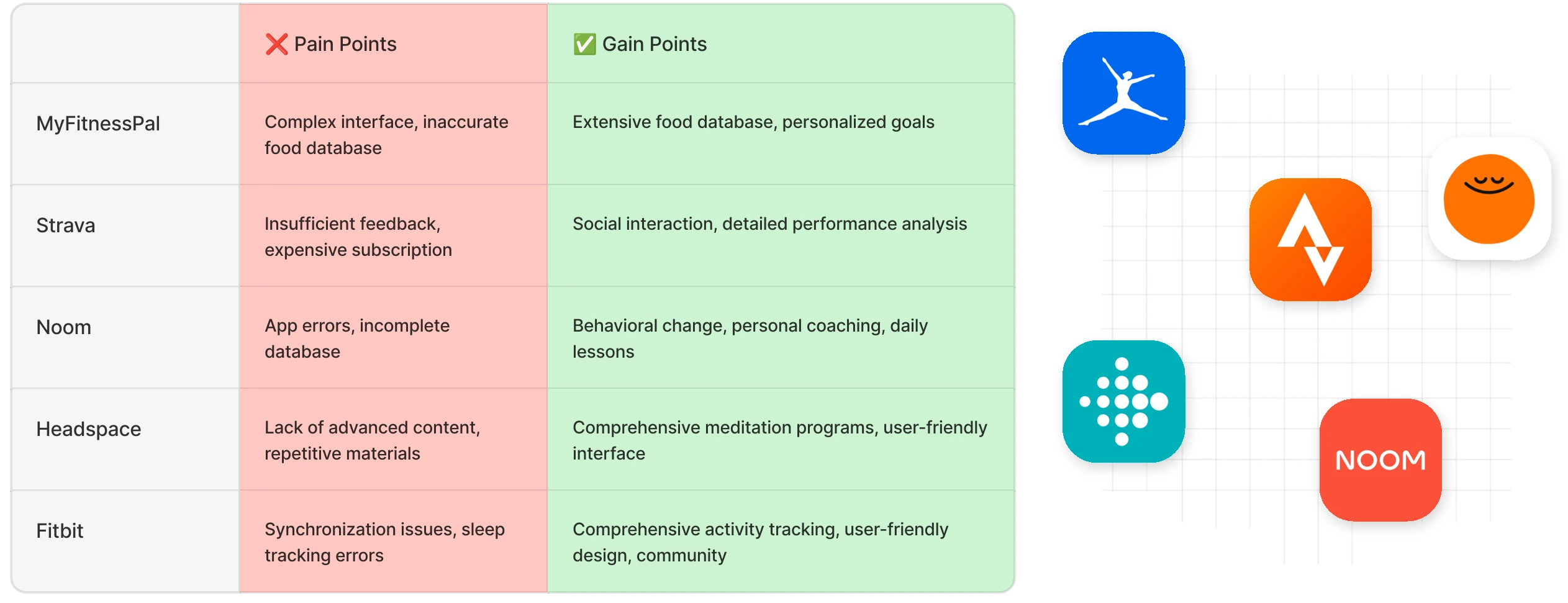
I ran a netnography study on App Store and Google Play reviews of popular wellness apps, backed by user interviews, to find what keeps people coming back and what pushes them away.
What works
- Motivation that keeps people focused on their goals
- Personalised plans that make routines more efficient
- Exercise, sleep, nutrition and mental health in one place
- A clean interface that is easy to use
What breaks
- Cluttered interfaces where features are hard to find
- Free versions so limited that most features sit behind a paywall
- Data sync issues and frequent bugs
- Slow support and too little customisation
Persona
Designing for a busy, tech-savvy professional

Zeynep Yıldız
Who she is
- Balances a busy work schedule with a healthy lifestyle
- Exercises a few times a week but struggles to stay consistent
- Enjoys trying new apps and follows health topics on social media
Pain points
- Little time for exercise because of a heavy workload
- Loses motivation and feels unsure how to reach her goals
- Gets frustrated by complicated apps
What she needs
- Exercise and nutrition plans tailored to her
- Clear progress tracking she can see at a glance
- A quick, practical app that does not eat her time
User flow
A short path from first launch to daily use
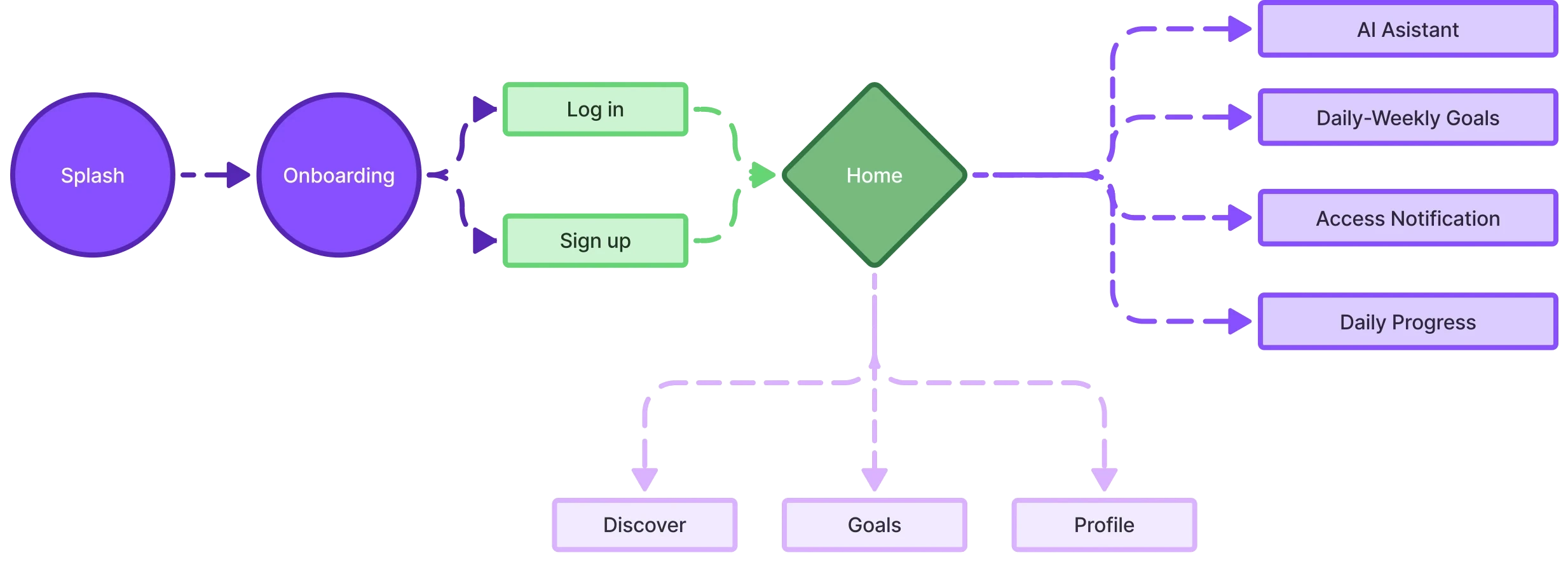
Onboarding leads straight to a single home screen. From there, Discover, Goals and Profile sit one tap away, and the AI assistant, goals, notifications and daily progress branch off the home.
Benchmark
Five competitors, one gap
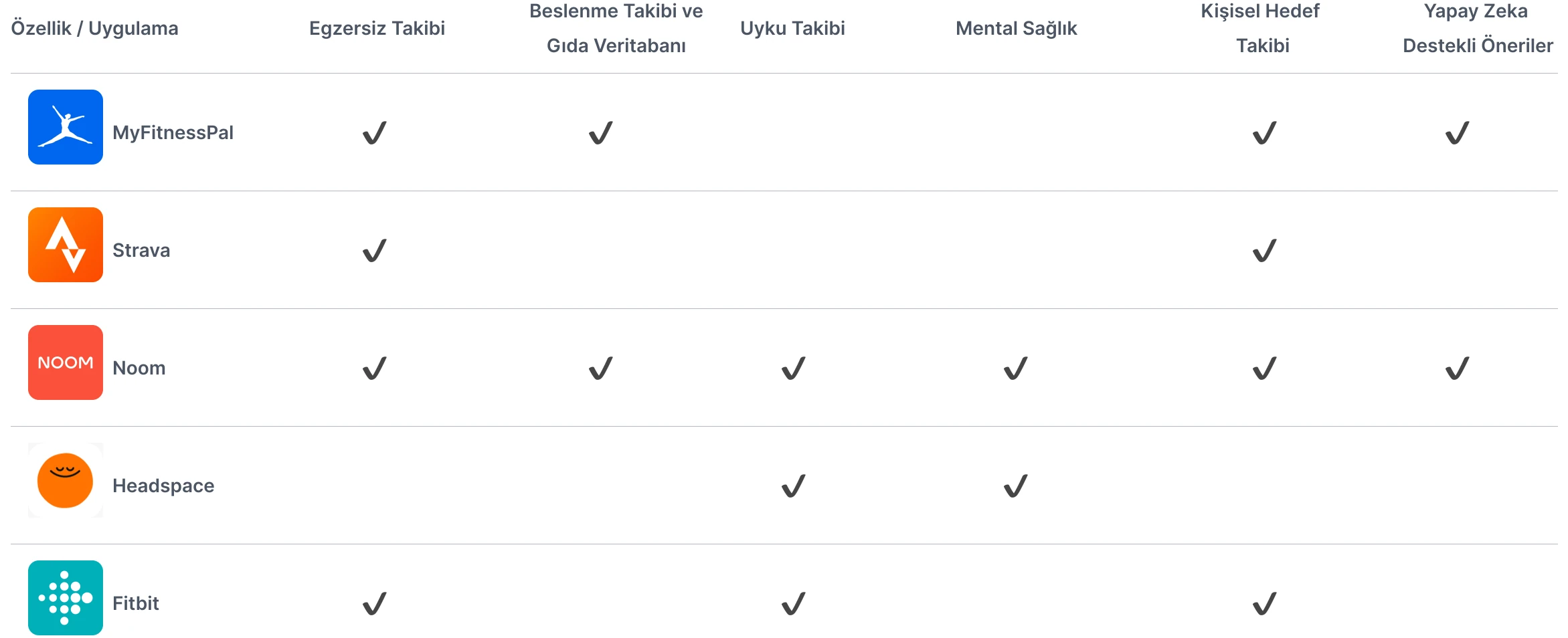
I compared MyFitnessPal, Strava, Noom, Headspace and Fitbit across exercise, nutrition, sleep, mental health, goal tracking and AI suggestions. Only Noom covered every area, and its users still reported bugs and an incomplete database. That left room for an app that is complete and simple at the same time.
Brand
A calm identity with a friendly companion
Vita
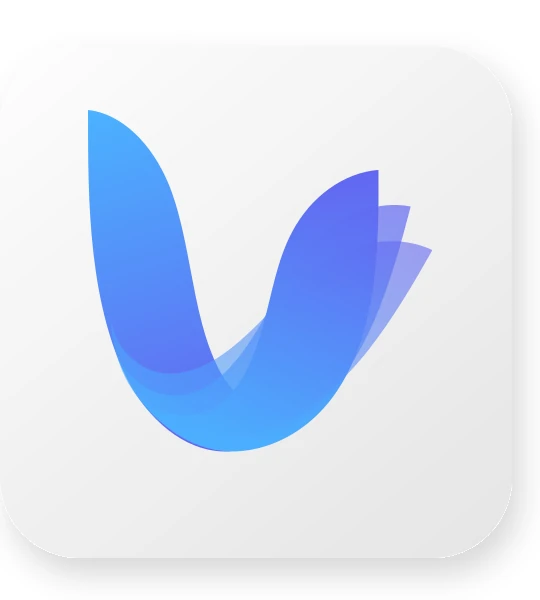
Inspired by the Flower of Life, the mark stands for harmony, growth and balance. Its minimal forms hint at the letter V, and the blue-to-purple gradient pairs calm with technological trust.
VitaBot
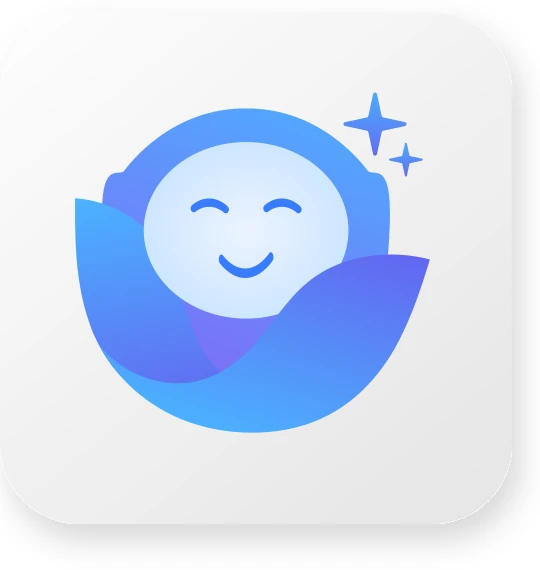
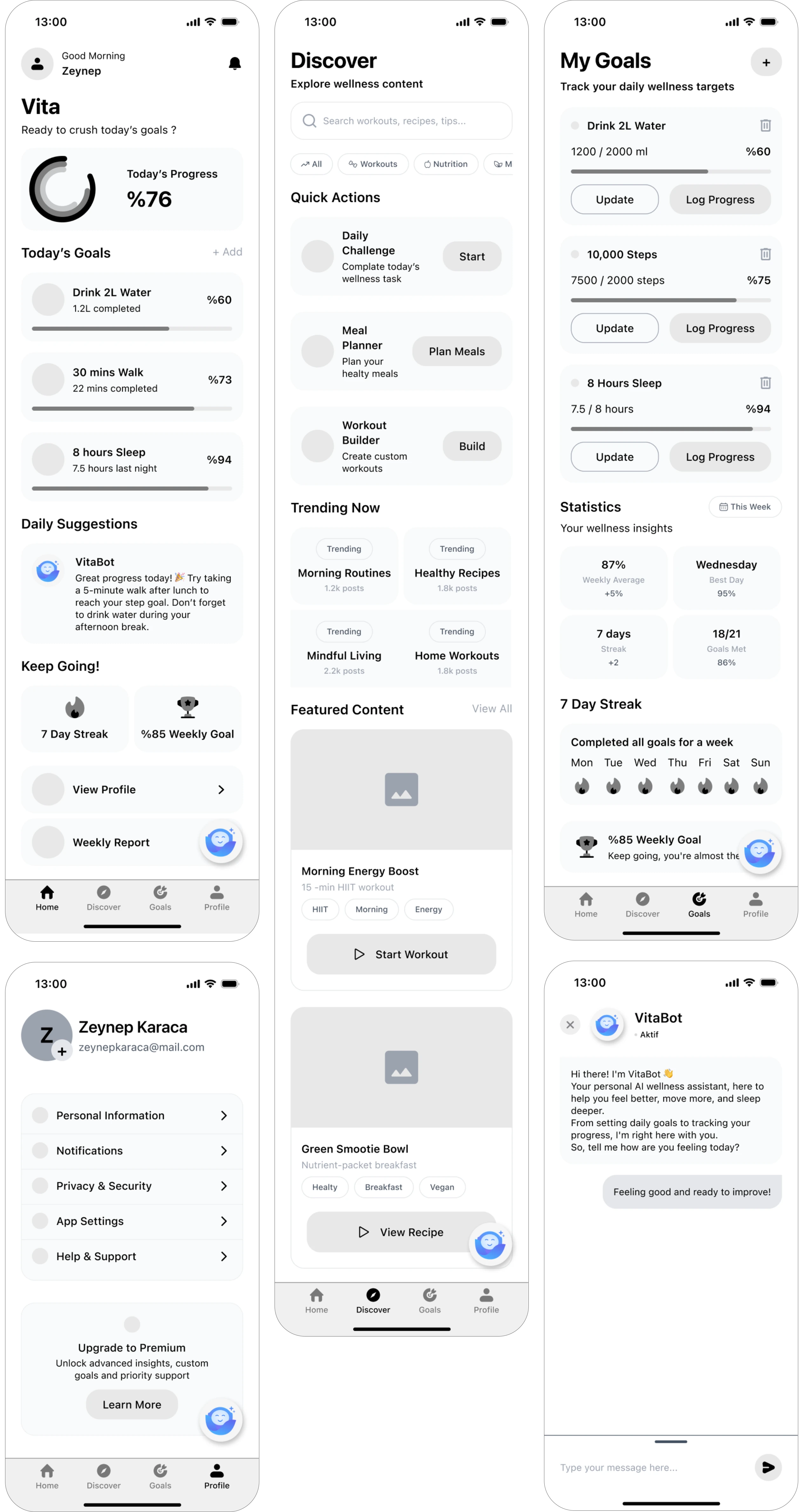
A minimalist AI avatar that echoes the leaf-like lines of the logo. It offers gentle reminders on hydration, sleep, exercise and breathing, a quiet companion through the user's wellness journey.
Design system
Tokens that keep every screen consistent
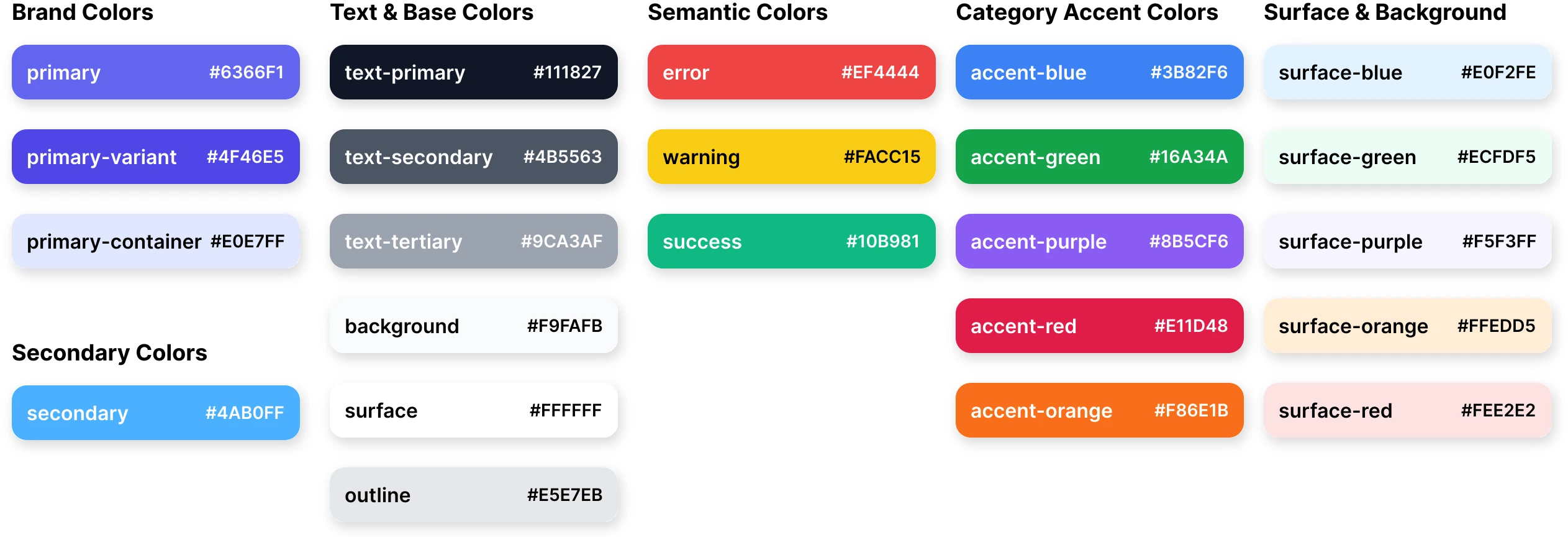
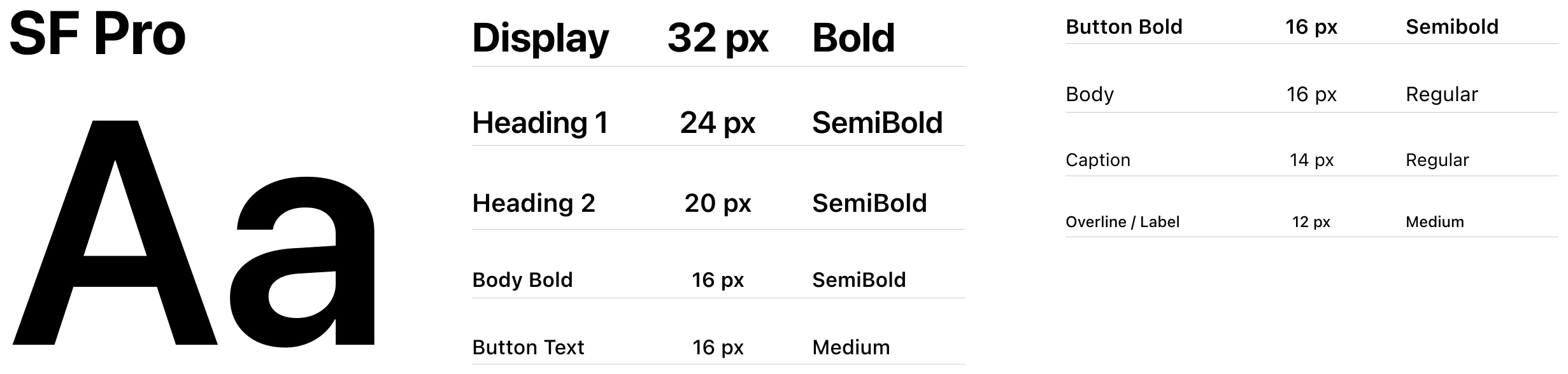
Brand, text, semantic, category and surface colours, each with a clear role, plus an SF Pro type scale from 32px display down to 12px labels.
Wireframes
Structure first, colour later
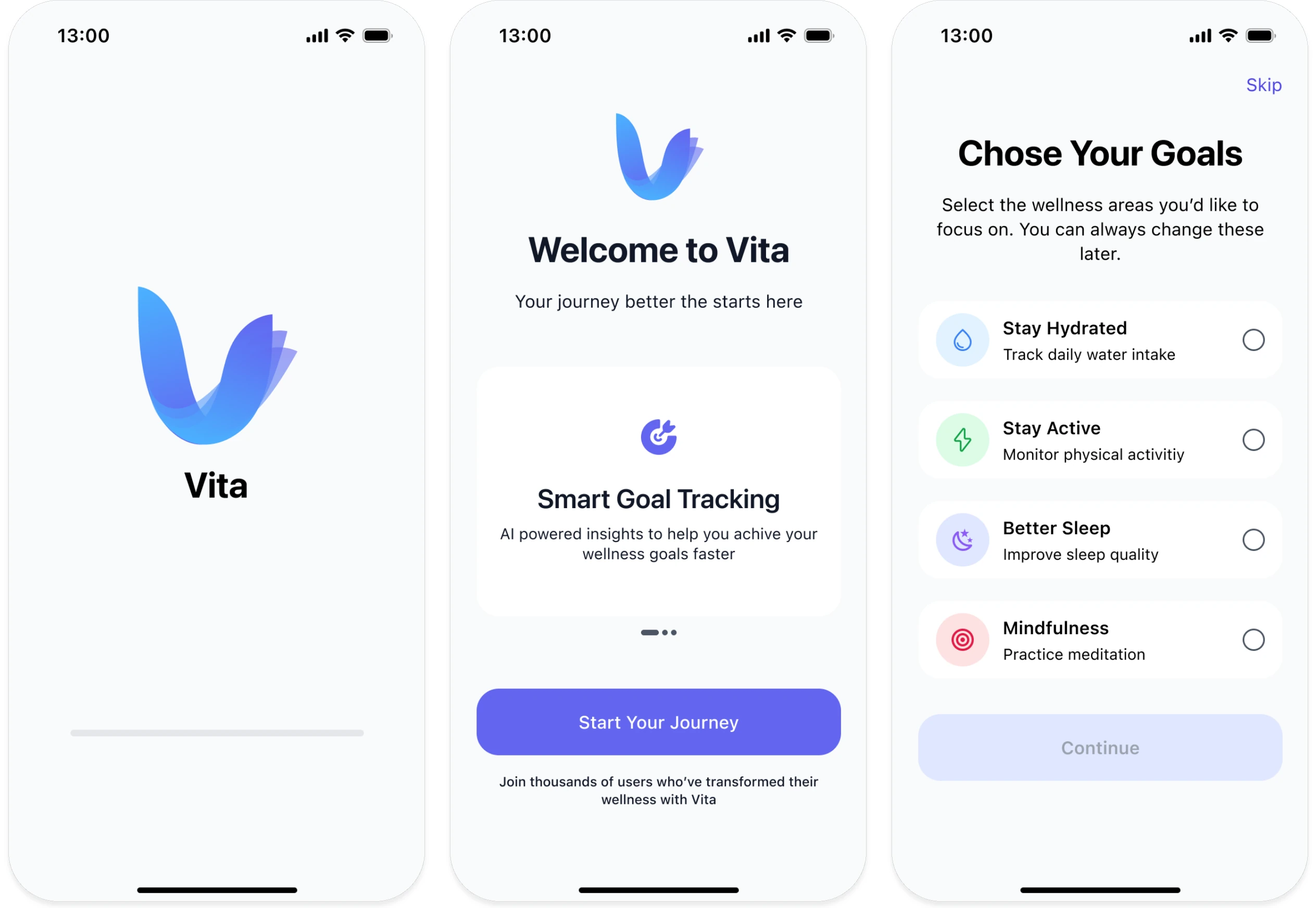
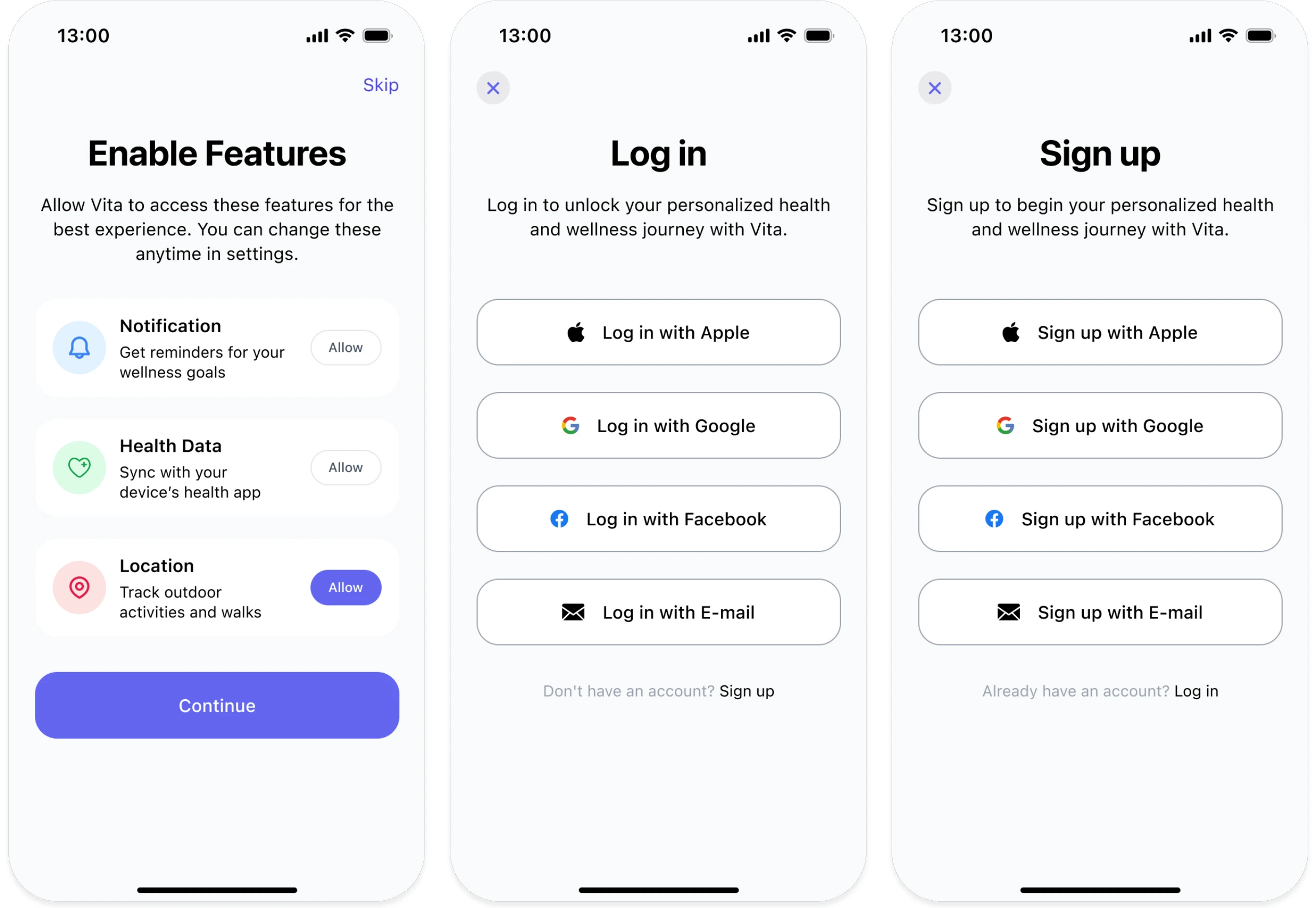
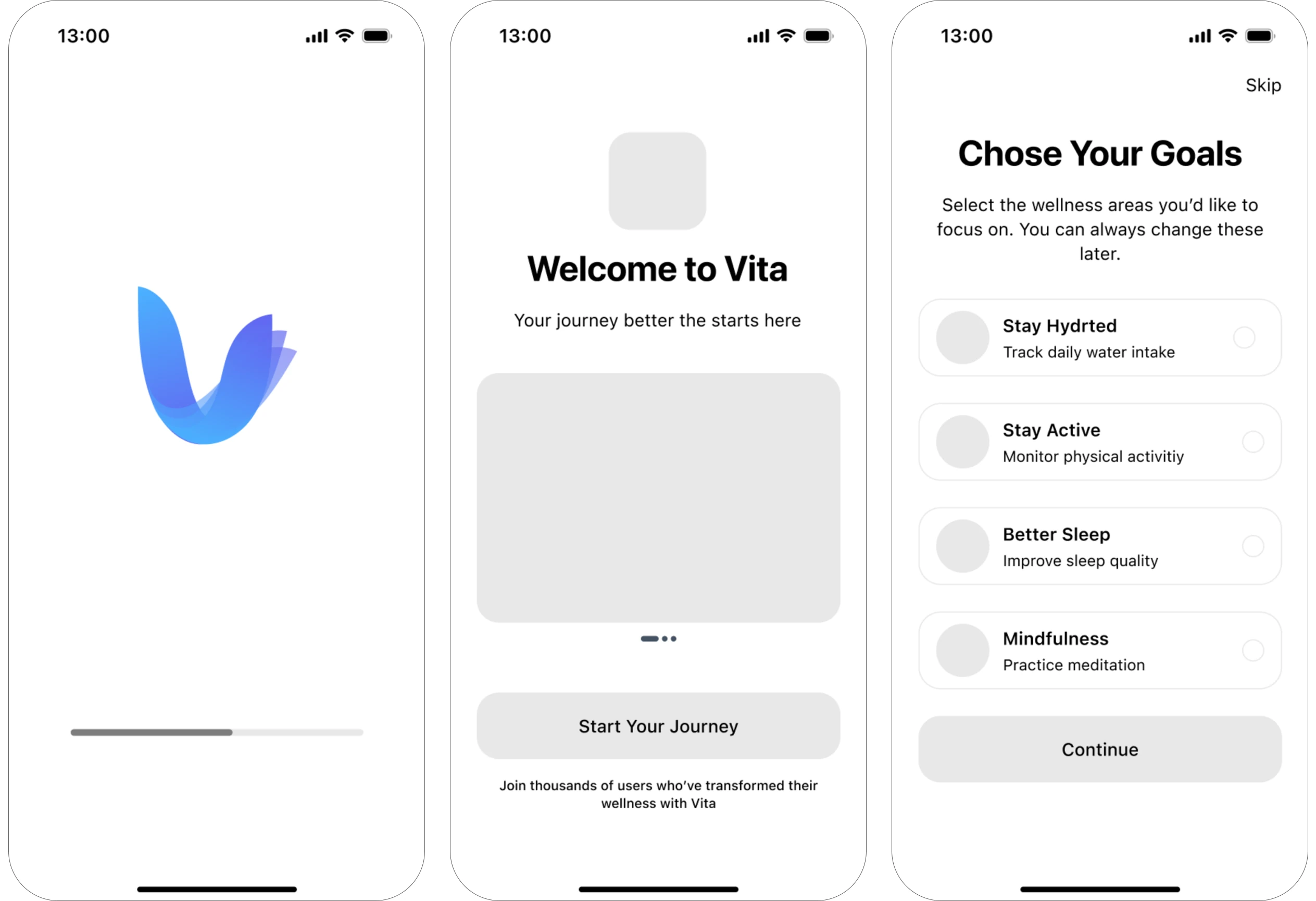
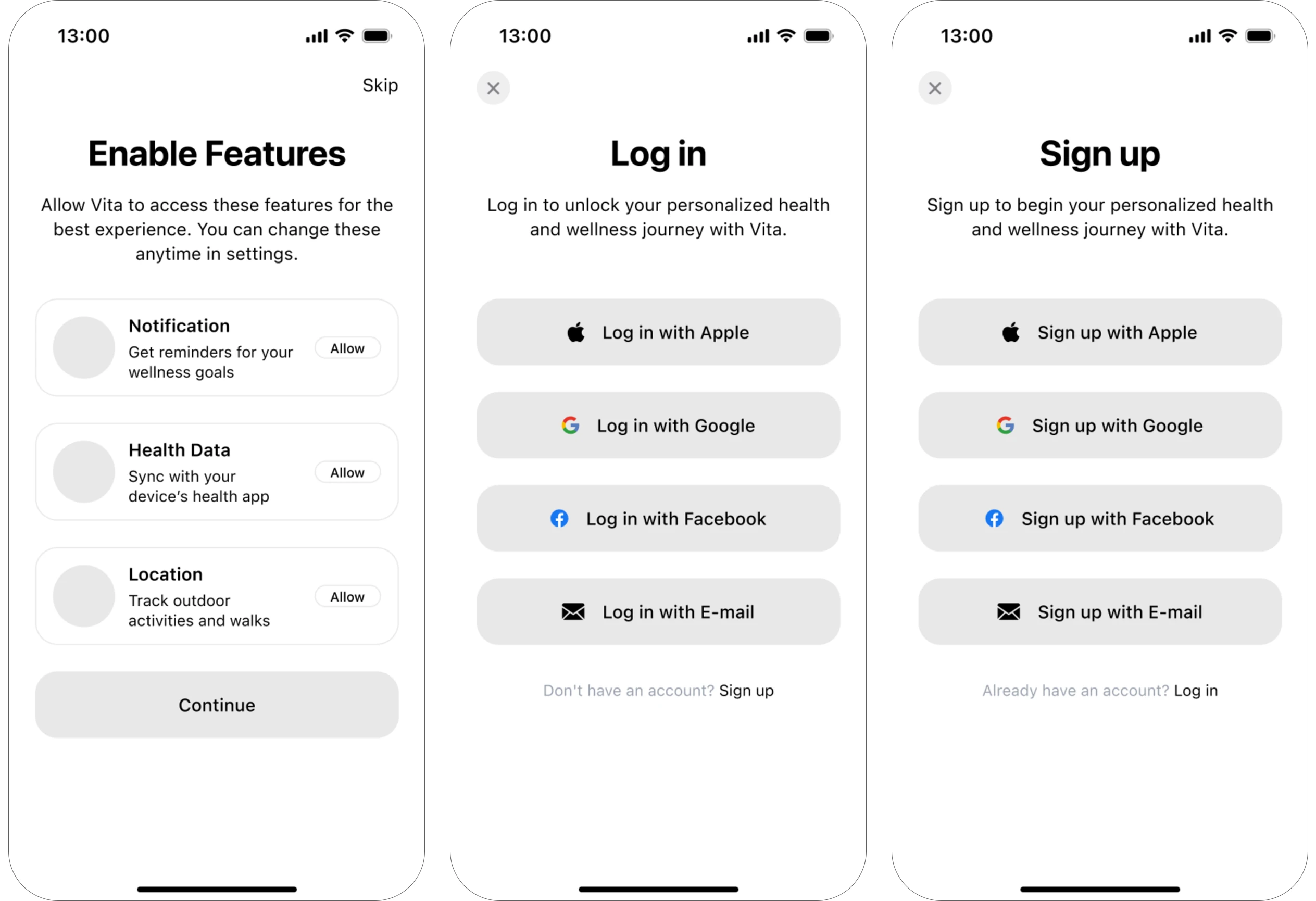
Low-fidelity screens set the structure of every flow, from onboarding and sign-in to the home, goals and chat screens, before any visual decisions.
Final UI
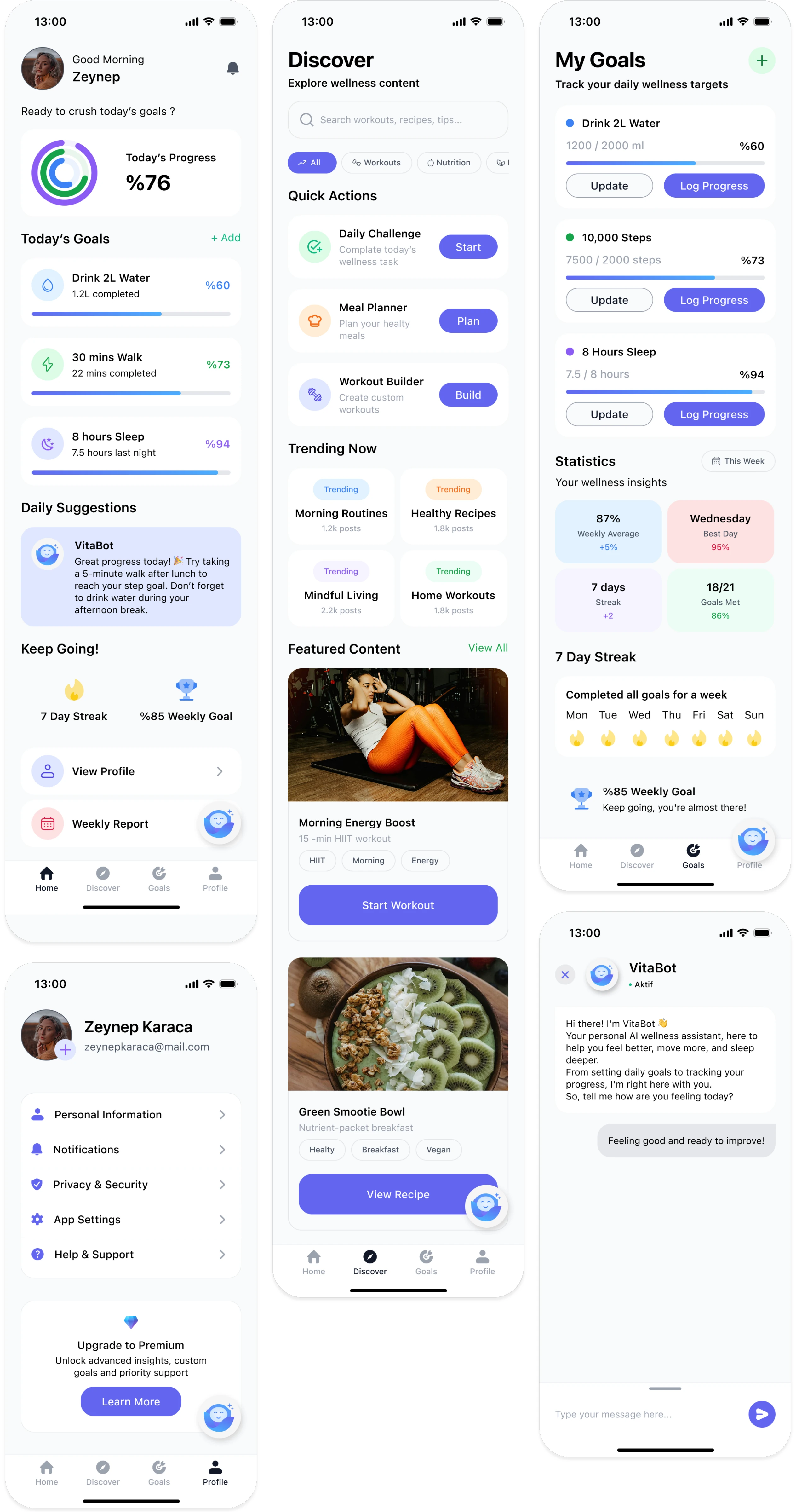
The finished experience
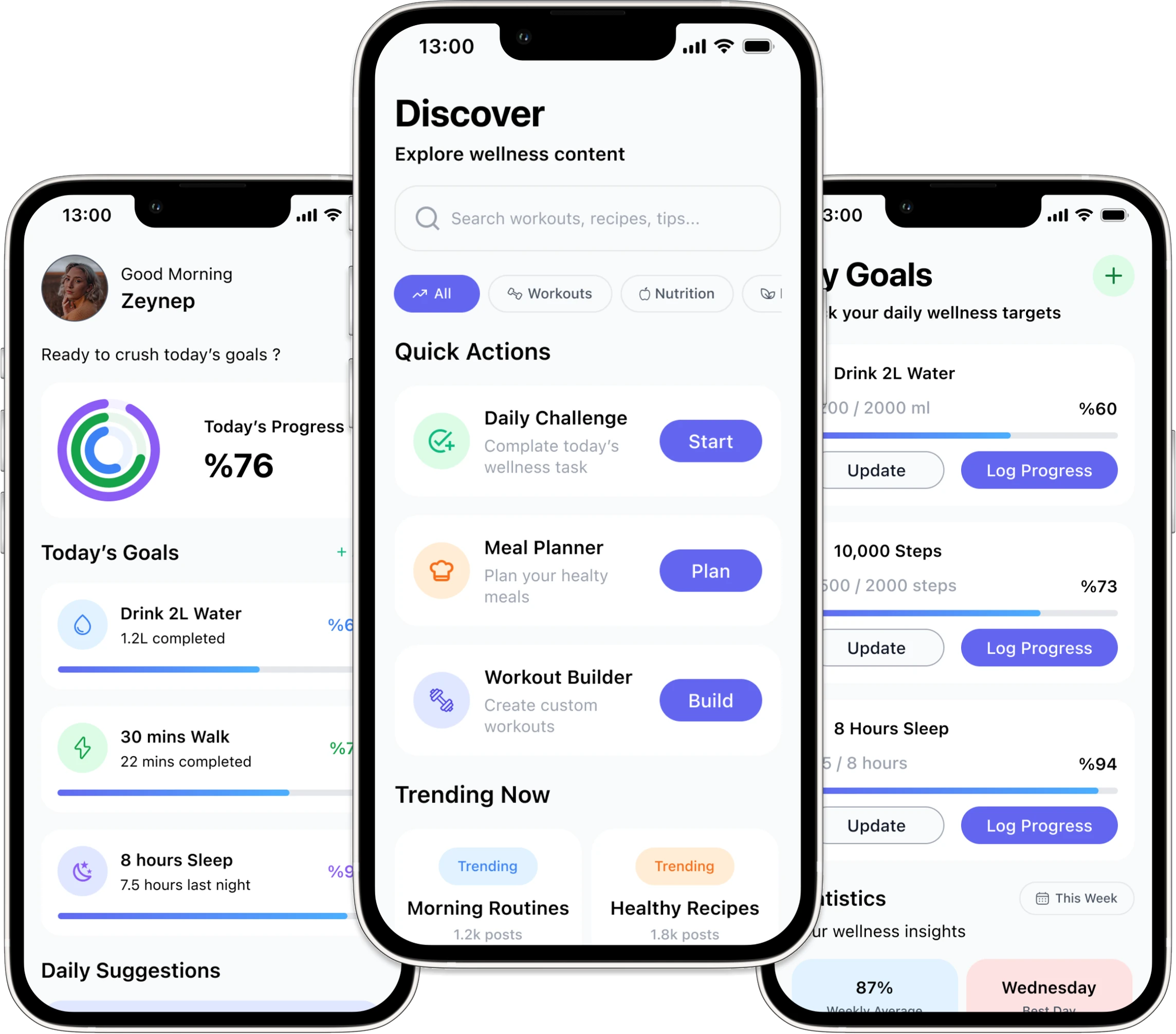
Daily progress at a glance, goals that update with one tap, curated content in Discover and VitaBot ready to help on every screen.